What is TOTP? How Those 6-Digit Codes Actually Work
Every 30 seconds your authenticator app generates a new code — without contacting any server. Here's the surprisingly clever math behind how TOTP works, and why it's more secure than SMS codes.
That Little Six-Digit Code Is More Clever Than You Think
Every time you open Google Authenticator and see that six-digit number counting down, something genuinely interesting is happening behind the scenes. It's not random. It's not sent to you from a server. Nobody at Google is generating that number and texting it to your app.
Your phone is calculating it. Right now. On its own. Using nothing but a secret key and the current time.
That's what TOTP is — and once you understand how it works, you'll never look at those little codes the same way again.
What TOTP Actually Stands For
TOTP stands for Time-based One-Time Password. Break that down:
Time-based — the code is generated using the current time, so it changes every 30 seconds
One-Time — each code can only be used once, then it's gone forever
Password — it's a short numeric code used to verify your identity
It's an open standard, which means it's not owned by Google or any single company. The spec is published as RFC 6238, and any app that follows it — Google Authenticator, Authy, Microsoft Authenticator, 1Password, Bitwarden — will generate identical codes for the same account. That's why you can switch authenticator apps without breaking your 2FA setup.
The Setup: Where the Secret Key Comes From
When you enable 2FA on a website, the first thing that happens is the website generates a random secret key — typically 16 to 32 characters long. You've probably seen it: something like JBSWY3DPEHPK3PXP.
This key is shared with you exactly once, usually as a QR code (which is just the same key encoded visually). You scan it with your authenticator app, and from that moment on, both sides — the website and your app — know the same secret.
The website stores the secret on its server. Your app stores it on your phone. Neither side needs to share it again. The magic is that you can both independently generate the same codes from that shared secret — without ever talking to each other.
You can also generate TOTP codes directly in your browser using 2FA.AC — just enter your secret key and it generates the correct code instantly, no app required.
How the Code Is Actually Generated
Here's where it gets interesting. Every 30 seconds, your authenticator app does this calculation:
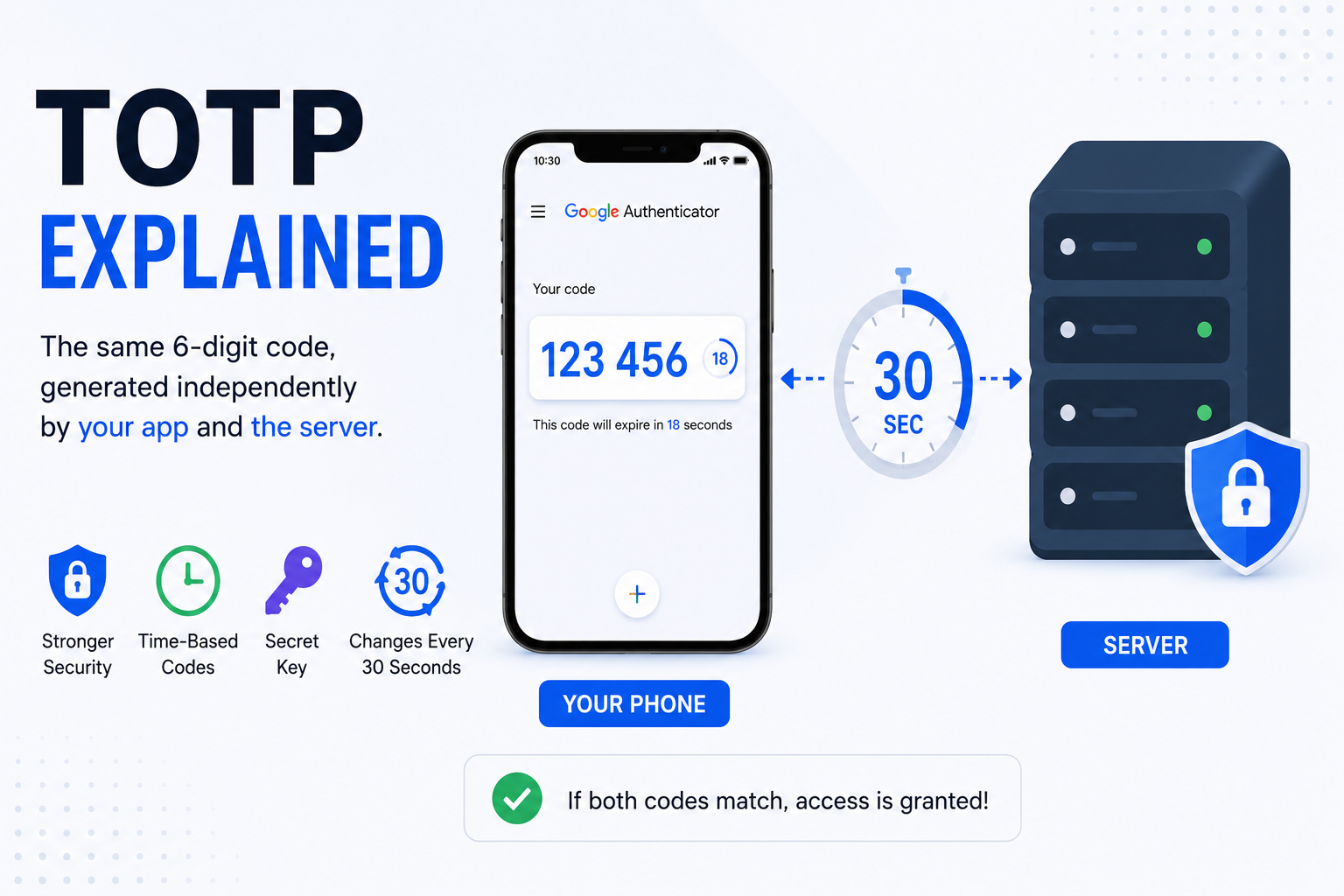
Take the current Unix timestamp — the number of seconds since January 1, 1970. Divide it by 30. Round down. This gives you a "time step" counter — a number that's the same for both your phone and the website's server right now.
Run HMAC-SHA1 — this is a cryptographic function that takes two inputs (your secret key and the time step counter) and produces a 20-byte output. HMAC-SHA1 is a one-way function, meaning you can't reverse it to find the secret key from the output.
Extract 6 digits — the algorithm takes specific bytes from that 20-byte output and extracts a 6-digit number. This is your TOTP code.
The website does the exact same calculation at the same moment. If the outputs match, you're authenticated.
That's it. No network call. No server. Just math — the same math, done twice, independently, producing the same answer.
Why 30 Seconds?
Thirty seconds is a deliberate design choice — a balance between security and usability.
Too short (say, 10 seconds) and users would constantly be rushing to type codes before they expire, especially on slower connections or if they're typing carefully. Too long (say, 5 minutes) and a stolen code would be usable for too long.
Most implementations also accept codes from the 30-second window just before and just after the current one, to account for slight clock differences between your device and the server. So in practice, you usually have about 60-90 seconds to enter a code, even though it displays for only 30.
Why Can't Someone Just Steal the Code?
Good question. If someone is watching over your shoulder and sees your 6-digit code, could they use it?
Technically yes — but only for the next 30 seconds, and only if they can log in somewhere with it in that window. And once you've used a code, the server marks it as used and won't accept it again.
In practice, this makes TOTP codes nearly useless to steal. A phishing attack that captures your code would need to use it in real time, within seconds, while you're actively logging in. Some sophisticated attackers do attempt this (it's called a real-time phishing attack), but it's far more difficult than just stealing a static password — which can be used any time, forever.
How Is This Different From SMS Codes?
SMS 2FA sends you a code via text message. It's better than nothing, but it has real weaknesses:
SIM swapping — attackers can convince your mobile carrier to transfer your number to their SIM card, then receive all your SMS codes
SS7 vulnerabilities — the protocol that routes phone calls and texts has known security flaws that sophisticated attackers can exploit
No internet, no code — if you're somewhere without cell service, SMS codes won't arrive
TOTP has none of these problems. The code is generated on your device using math. No network required. No carrier involved. No SIM card to steal.
What Happens If You Lose Your Phone?
This is the most common concern people have about TOTP. If your phone is lost or broken, and your authenticator app was only on that phone, you could be locked out of every account that uses it.
That's why the solutions matter:
Save backup codes — every service that offers TOTP also gives you a set of one-time backup codes during setup. Save them somewhere secure. This is your safety net.
Use an app with backup — Authy syncs your TOTP secrets (encrypted) to the cloud. If you lose your phone, restore from backup on a new device.
Store the secret key — when you first set up TOTP, the website shows you a QR code and often a text version of the secret key. If you save that key somewhere safe, you can recreate the TOTP account on any new device, including 2FA.AC.
TOTP vs Other 2FA Methods — A Quick Comparison
SMS codes: Easy to set up, works on any phone, but vulnerable to SIM swapping and SS7 attacks. Better than nothing, but not ideal.
TOTP (authenticator app): Works offline, not tied to a phone number, resistant to most attacks. The sweet spot of security and convenience for most people.
Push notifications (Google Prompt, Duo): Very convenient — just tap "Yes" on your phone. Requires internet. Slightly vulnerable to prompt bombing attacks where an attacker repeatedly triggers prompts hoping you accidentally approve one.
Hardware security keys (YubiKey): The gold standard. Physically impossible to phish. Requires carrying a USB device. Best for high-value accounts.
For most people protecting most accounts, TOTP is the right answer — it's significantly more secure than SMS and much more convenient than hardware keys.
How to Set Up TOTP Right Now
If you haven't set up TOTP on your important accounts yet, here's the quick version:
Download Google Authenticator or Authy on your phone
Go to the security settings of any account you want to protect (Gmail, Instagram, your password manager, etc.)
Look for "Two-Factor Authentication" or "2-Step Verification"
Choose "Authenticator app"
Scan the QR code with your app
Save the backup codes they give you
Done — that account now requires a TOTP code to log in
No app on hand? You can generate TOTP codes instantly at 2FA.AC — free, browser-based, and works without downloading anything. Just enter your secret key and get the correct code immediately.
It takes about five minutes per account. Start with your email — that's the one that can unlock everything else if compromised.
Frequently Asked Questions
Generate TOTP Codes Instantly
Enter your secret key and get your 2FA code right now — no app needed.
Try TOTP Generator →