How to Check if a Link is Safe Before You Click?
That link someone just sent you — do you actually know where it goes? Before you click anything suspicious, here's how to check if a link is safe and what to look for in a malicious URL.
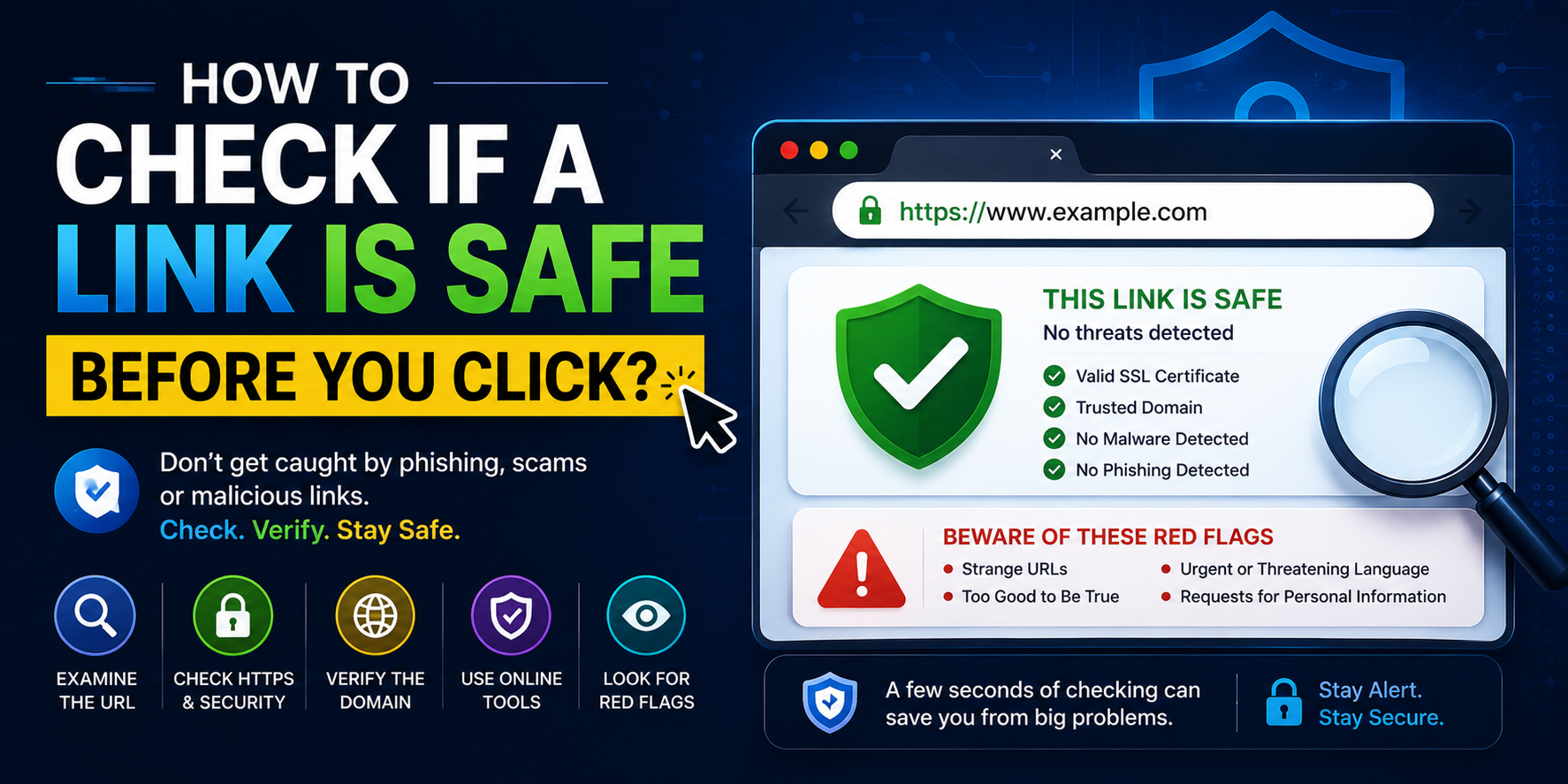
That Link Someone Just Sent You — Do You Actually Know Where It Goes?
Think about the last link you clicked without thinking twice. Maybe it came in a text message from an unknown number. Maybe a friend forwarded something on WhatsApp. Maybe it showed up in an email that looked completely legitimate — right logo, right colors, right tone — but something felt slightly off.
Most of the time, links are exactly what they appear to be. But the times they aren't? Those are the times that lead to stolen passwords, drained bank accounts, and identity theft. And the frustrating thing is that malicious links are specifically designed to look normal. That's the whole point.
A link checker takes the guesswork out of it. Before you click, you check. It takes five seconds and it's free.
What Is a Link Checker?
A link checker is a tool that analyzes a URL before you visit it and tells you whether it's safe or suspicious. It does this by checking the URL against databases of known malicious sites, analyzing the domain's age and reputation, detecting redirects that might be hiding the true destination, and looking for patterns that commonly appear in phishing and scam URLs.
The Link Checker at 2FA.AC lets you paste any URL and get an instant safety assessment — without having to click the link itself.
Why Links Are the Most Common Attack Vector
Attackers love links because they're effective. A link can be disguised to look like almost anything. The visible text in an email can say "Click here to verify your account" while the actual URL leads somewhere completely different. A URL can be shortened — using services like bit.ly or tinyurl — so the destination is completely hidden. A domain can be registered that looks nearly identical to a real one, differing by just one character that's easy to miss.
Some examples of how attackers disguise links:
Typosquatting — registering domains like
paypa1.com(with a number 1 instead of letter l) oramazon-secure.comthat look legitimate at a glanceURL shorteners —
bit.ly/xK92pQtells you nothing about where you'll actually landSubdomain tricks —
google.com.malicious-site.comis actually a subdomain of malicious-site.com, not google.comHTTPS deception — a site having HTTPS doesn't mean it's safe. It just means the connection is encrypted. Scam sites have SSL certificates too.
Redirect chains — a URL that looks safe redirects through several other URLs before landing on a malicious page, making detection harder
The Anatomy of a Suspicious URL
Once you know what to look for, suspicious URLs become easier to spot. Here's what to check:
The domain name
Read the domain carefully. In a URL like https://secure-login.bankofamerica-account.com/verify, the actual domain is bankofamerica-account.com — not bankofamerica.com. The real Bank of America would use bankofamerica.com. Everything before the last two parts (domain + extension) is either a subdomain or a fake addition designed to look legitimate.
The URL length and complexity
Legitimate websites rarely use extremely long, complex URLs with random strings of characters for their main pages. A URL like http://192.168.1.1/update/verify/account/secure/login?token=xkc938dvn2 is a red flag. Real banks and services use clean, readable URLs.
The protocol
Always check for https:// rather than http:// when entering sensitive information. But again — HTTPS means the connection is encrypted, not that the site is legitimate. Don't let a padlock icon make you feel safe on a suspicious domain.
URL shorteners
Any shortened URL is worth checking before clicking. You can expand shortened URLs using tools like unshorten.it, or by using a link checker like the one at 2FA.AC. The few seconds it takes is worth it.
Common Scenarios Where Link Checking Matters Most
Email links
Phishing emails are the most common way malicious links are delivered. They impersonate banks, delivery services, government agencies, streaming platforms, and any other service where urgency creates clicks. "Your account has been suspended." "Your package couldn't be delivered." "Verify your identity immediately."
Before clicking any link in an email that asks you to do something — verify, update, confirm, pay — check the URL first. Hover over it to see where it actually leads, and if it looks suspicious, use a link checker.
SMS and messaging apps
SMS phishing (called "smishing") has grown significantly. Texts claiming to be from your bank, your delivery service, or even the government asking you to click a link are extremely common. The problem is that on mobile, URLs are often hidden behind text, and shortened URLs are even less visible.
Social media
Links shared on Twitter, Facebook, Instagram, and WhatsApp can come from anyone — including hacked accounts belonging to people you trust. Just because a link came from a friend doesn't mean it's safe. Their account might be compromised, or they might have shared something malicious without knowing it.
QR codes
QR codes are essentially links in disguise. You can't read a QR code the way you can read a URL, which makes them particularly risky. A malicious QR code could be stuck over a legitimate one in a restaurant or parking lot. Always use a QR scanner that shows you the URL before opening it, and check suspicious QR code URLs with a link checker.
How to Use the Link Checker
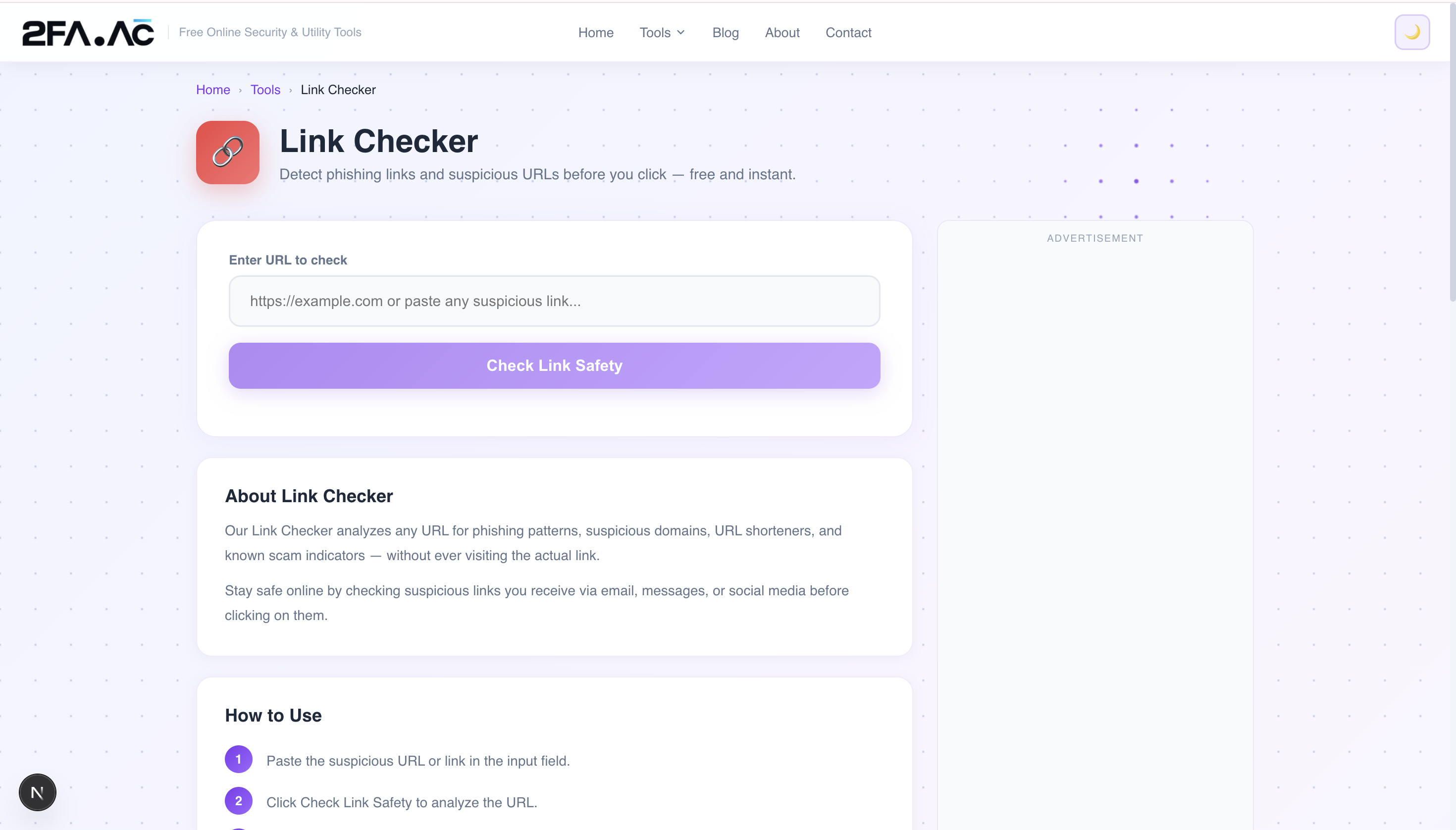
Using the Link Checker at 2FA.AC is straightforward:
Copy the suspicious URL — don't click it
Go to 2FA.AC's Link Checker
Paste the URL into the input field
Click Check — the tool analyzes the URL and returns a safety assessment
If the URL is flagged as suspicious or malicious, don't visit it
The tool checks the URL against threat intelligence databases and analyzes the domain for known malicious patterns. It works for full URLs, shortened URLs, and even IP address-based URLs.
What Link Checkers Can and Can't Do
A link checker is a useful tool, but it's not infallible. Understanding its limitations helps you use it more effectively.
What they're good at
Identifying URLs that match known phishing or malware databases
Detecting suspicious domain patterns
Expanding shortened URLs to reveal the true destination
Flagging newly registered domains (which are disproportionately used for fraud)
Identifying redirect chains that try to hide the final destination
What they can't always catch
Brand new malicious sites that haven't been reported yet — threat databases take time to update
Compromised legitimate sites — a previously clean domain that's been hacked might still show as safe
Context-dependent threats — a link might be safe for most people but specifically target you based on information the attacker has
The bottom line: a link checker significantly reduces your risk. It's not a guarantee, but it's far better than clicking blindly.
Building Better Link Habits
The most effective defense against malicious links is a combination of tools and habits:
Hover before you click
On desktop, hovering over a link shows the actual URL in the bottom of your browser. Make it a habit to glance at it before clicking. Does the domain match what you'd expect? Is it going somewhere you recognize?
Go directly when in doubt
If you get an email claiming to be from your bank, don't click the link. Open a new tab and type your bank's address directly. If there's a real issue with your account, you'll see it when you log in legitimately.
Be skeptical of urgency
Phishing messages almost always create urgency — "your account will be closed," "immediate action required," "24 hours to respond." Real companies rarely operate this way. Urgency is a manipulation tactic designed to make you act before you think.
Check before you forward
If someone sends you a link that seems interesting or important, check it before forwarding it to others. Malicious links spread fastest when people share them believing they're legitimate.
Ready to check a URL? Use the Link Checker at 2FA.AC — free, instant, and no signup required.
Frequently Asked Questions
Check Any Link Before You Click
Paste any URL and get an instant safety check. Free, no signup required.
Check Link Safety →