What Is a JWT Token? How to Decode and Read JWT Tokens
That long string of characters in your API response isn't gibberish — it's structured data carrying your identity and permissions. Here's what's inside a JWT and how to decode it instantly.
That Long String of Gibberish in Your API Response Is Actually Telling You a Lot
If you've worked with any modern web API, you've seen them. Long strings that look like random characters separated by two dots. They show up in authentication headers, cookies, local storage, network requests. They're everywhere in modern web development.
They're called JWT tokens — JSON Web Tokens — and they're not gibberish at all. They're structured data, encoded in a specific format, carrying information about who you are and what you're allowed to do. Once you know how to read them, they become one of the most useful debugging tools you have.
Here's what's inside them, and how to decode them instantly.
What Is a JWT Token?
A JSON Web Token is a compact, self-contained way to transmit information between two parties — typically a client (your browser or app) and a server (an API). The key word is self-contained: the token itself carries all the information needed to verify its authenticity and understand its contents, without the server needing to look anything up in a database.
This is what makes JWTs useful for authentication. When you log into an application, the server creates a JWT that says "this user is authenticated, their ID is 12345, they have admin access, and this token expires in one hour." The server signs this token with a secret key and sends it to you. On every subsequent request, you send the token back. The server verifies the signature and trusts the contents — no session lookup required.
It's efficient, stateless, and works well across distributed systems where you might have multiple servers handling requests.
The Structure of a JWT
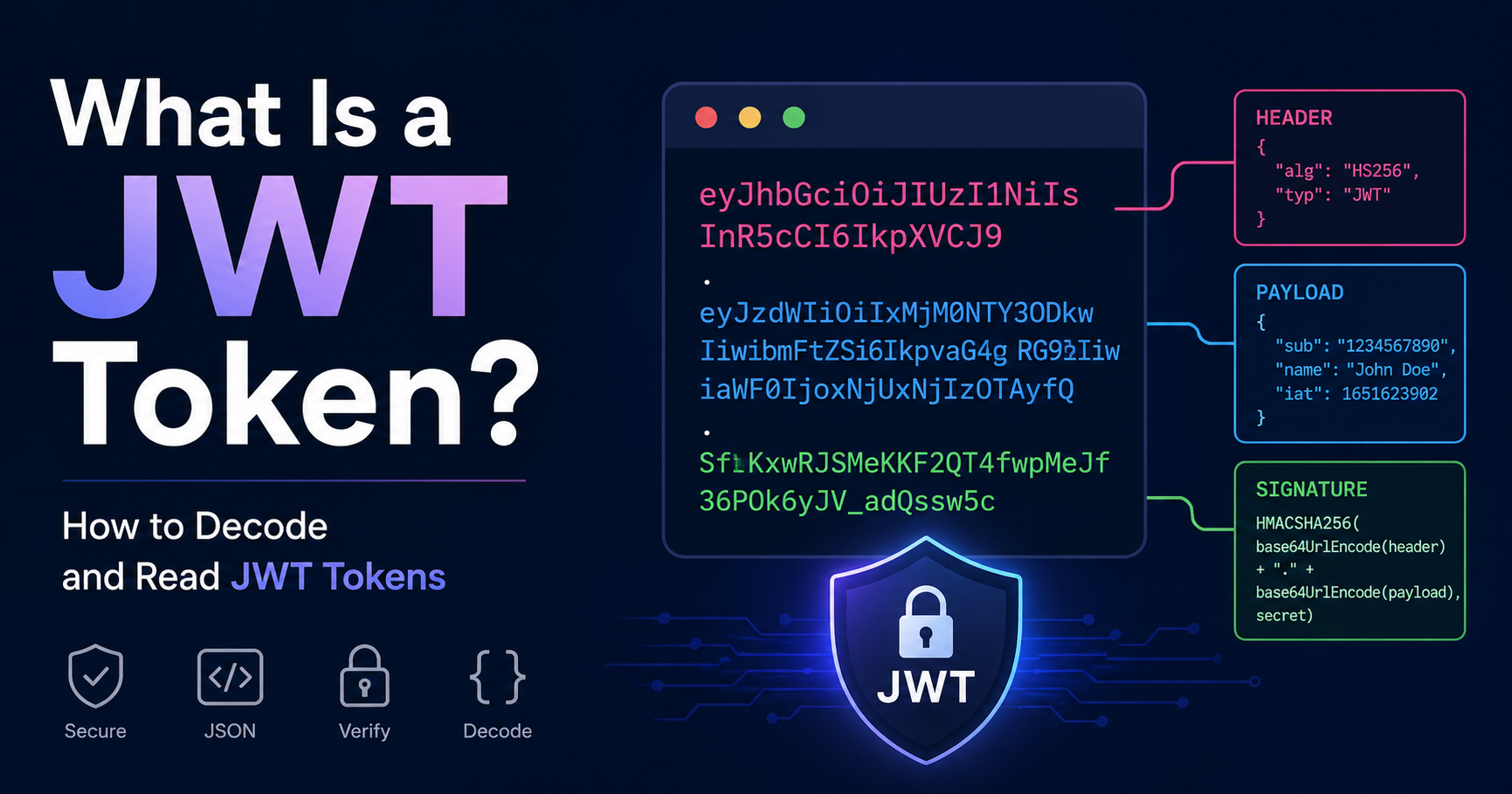
Every JWT has exactly three parts, separated by dots:
header.payload.signature
A real token looks something like this:
eyJhbGciOiJIUzI1NiIsInR5cCI6IkpXVCJ9.eyJzdWIiOiIxMjM0NTY3ODkwIiwibmFtZSI6IkpvaG4gRG9lIiwiaWF0IjoxNTE2MjM5MDIyfQ.SflKxwRJSMeKKF2QT4fwpMeJf36POk6yJV_adQssw5c
Each part is Base64URL encoded — a slightly modified version of Base64 encoding that's safe to use in URLs. Decode each part and you get readable JSON.
The Header
The first part contains metadata about the token itself — specifically, what algorithm was used to sign it:
{
  "alg": "HS256",
  "typ": "JWT"
}
HS256 means HMAC with SHA-256. Other common values are RS256 (RSA with SHA-256) and ES256 (ECDSA). The algorithm tells you how the signature was created and how to verify it.
The Payload
The second part is where the actual data lives. It's a JSON object containing "claims" — statements about the user or the token itself:
{
  "sub": "1234567890",
  "name": "John Doe",
  "email": "john@example.com",
  "role": "admin",
  "iat": 1516239022,
  "exp": 1516242622
}
Some claims are standardized:
sub — subject (usually the user ID)
iat — issued at (Unix timestamp of when the token was created)
exp — expiration (Unix timestamp of when the token expires)
iss — issuer (which service created the token)
aud — audience (which service this token is intended for)
Everything else in the payload is custom — whatever the application needs to include.
The Signature
The third part is a cryptographic signature of the header and payload, created using the algorithm specified in the header and a secret key that only the server knows.
The signature is what makes JWTs trustworthy. Anyone can decode the header and payload — they're just Base64 encoded, not encrypted. But only someone with the secret key can create a valid signature. If you tamper with the payload (change your role from "user" to "admin", for example), the signature becomes invalid and the server rejects the token.
An Important Distinction: Encoded vs Encrypted
This trips up a lot of developers. JWTs are encoded, not encrypted. The header and payload are Base64URL encoded, which means anyone who has the token can decode and read the contents — no key required.
This is by design. The purpose of the signature is to verify that the contents haven't been tampered with, not to hide them. If you need to hide the contents of a JWT (because they contain sensitive data), you need a JWE (JSON Web Encryption) — a different, less common standard.
The practical implication: don't put sensitive information in a JWT payload. User IDs, roles, and session metadata are fine. Passwords, credit card numbers, or private keys are not — they'd be readable by anyone who intercepts the token.
How to Decode a JWT Instantly
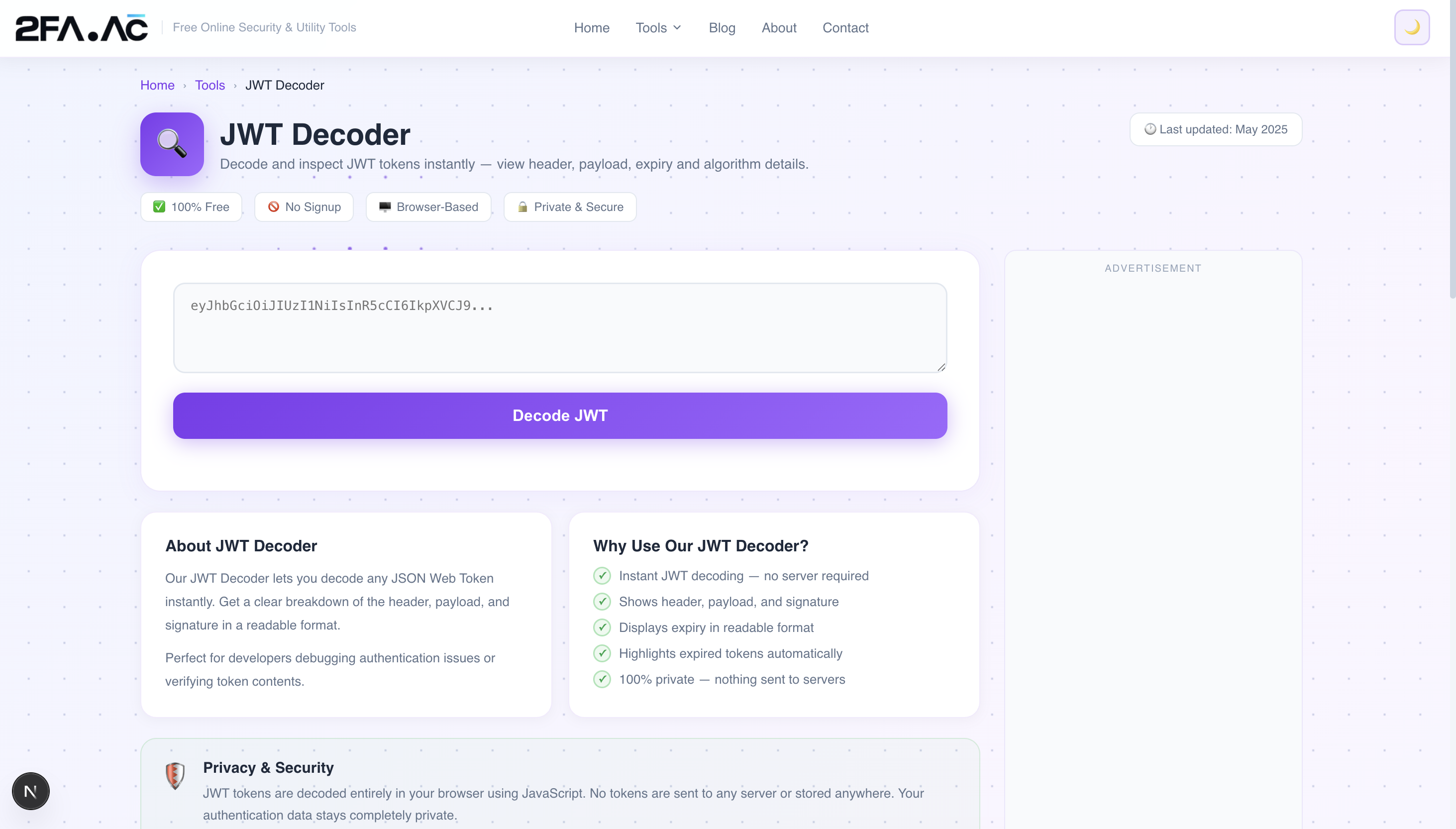
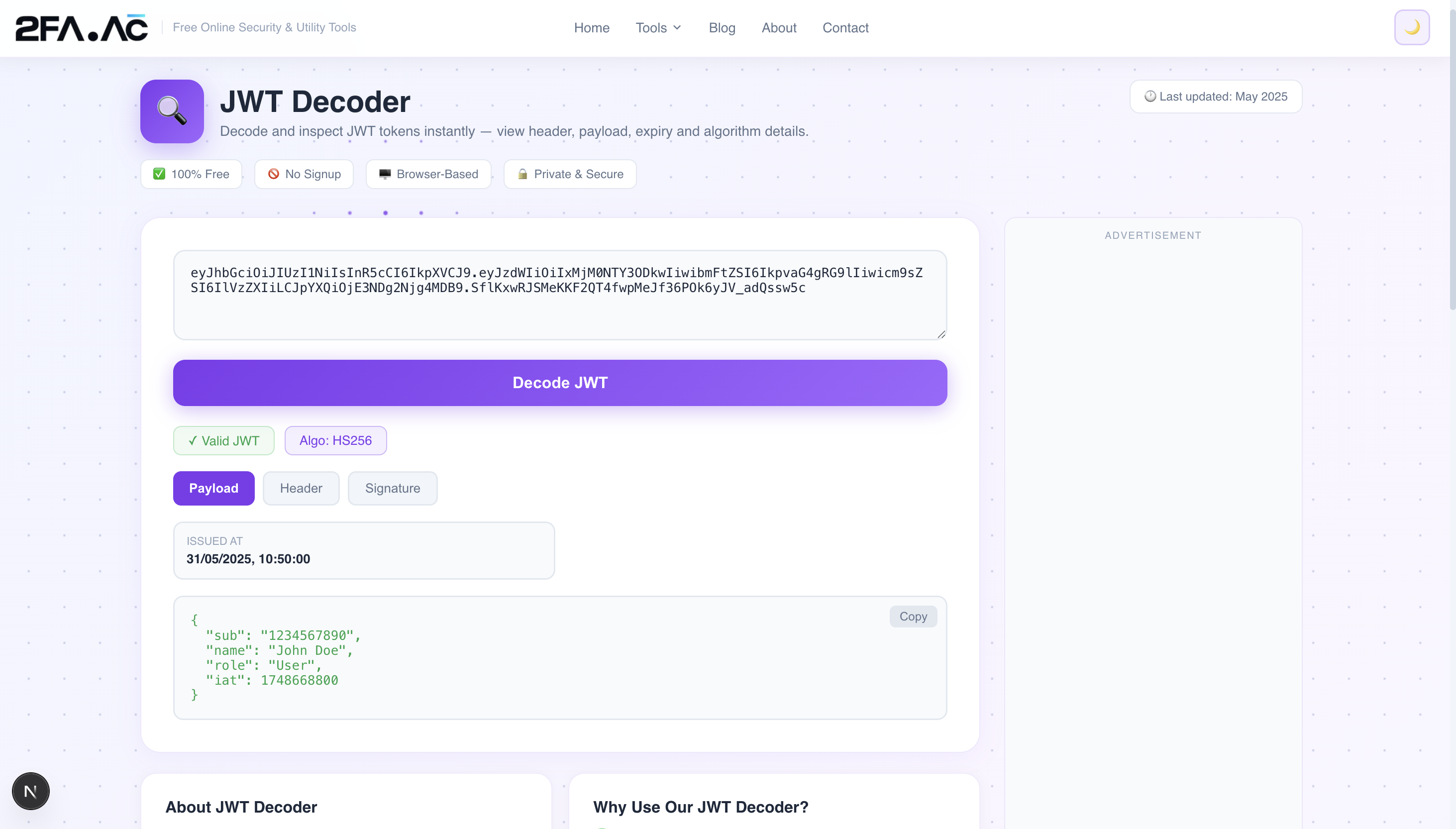
The JWT Decoder at 2FA.AC decodes any JWT token in seconds. Here's how to use it:
Copy your JWT token from wherever it appears — an API response, a browser cookie, local storage, a network request in DevTools
Paste it into the decoder
The header, payload, and signature are displayed separately in formatted, readable JSON
Timestamps are automatically converted to human-readable dates so you can see exactly when the token was issued and when it expires
Everything runs in your browser. The token is never sent to any server. This matters — JWTs are authentication credentials, and you should be cautious about pasting them into tools that might log them server-side.
Common JWT Debugging Scenarios
"Why is this request returning 401 Unauthorized?"
Check the exp claim. A 401 after being logged in for a while usually means the token has expired. Compare the expiration timestamp to the current time — if it's in the past, you need to refresh the token.
"Why doesn't this user have access to this feature?"
Decode the token and check what roles or permissions are in the payload. If the token says "role": "user" but the feature requires "admin", the issue is in how the token was created, not in the authorization logic.
"Which user is this token for?"
Check the sub claim — it's usually the user ID. Cross-reference with your user database to identify the account.
"Is this the token from the right environment?"
Check the iss (issuer) claim. Production and staging environments often use different issuers, and accidentally using a staging token against production (or vice versa) is a common source of confusion.
"When was this token created?"
The iat claim is a Unix timestamp. Convert it to a readable date to see exactly when the token was issued. Useful for debugging issues around token rotation or session management.
JWT Security — What Developers Need to Know
Never trust the algorithm field blindly
In older JWT libraries, a well-known attack involves changing the alg field in the header to "none" — telling the server "this token has no signature, just trust it." A properly implemented server rejects this, but vulnerable implementations don't. Always validate that the algorithm matches what you expect.
Validate the expiration
Always check the exp claim on the server side. A token that's expired should be rejected, even if the signature is valid. Don't assume your JWT library handles this automatically — verify it in your code.
Store tokens securely
Where you store JWTs in a browser matters. Storing in localStorage is convenient but vulnerable to XSS attacks — any malicious script that runs on your page can read localStorage. HttpOnly cookies are more secure because JavaScript can't access them, though they require careful handling to prevent CSRF attacks.
Keep payloads minimal
Every JWT is sent with every request. Large payloads add overhead. Include only what's necessary — user ID, roles, expiration. Fetch other data server-side if needed.
Use short expiration times
If a JWT is stolen, the attacker can use it until it expires. Shorter expiration times (15 minutes to 1 hour) limit the damage window. Pair short-lived access tokens with longer-lived refresh tokens for a good balance of security and usability.
JWTs vs Sessions — When to Use Which
JWTs are great for stateless authentication across distributed systems — microservices, mobile apps, third-party API access. They work well when you can't or don't want to share session state across servers.
Traditional sessions are still the right choice for many web applications — they're easier to invalidate immediately (just delete the session from the database), and the security model is simpler to reason about.
The right choice depends on your architecture. Many applications use both — JWTs for API authentication and traditional sessions for the web interface.
Need to decode a JWT right now? Try the JWT Decoder at 2FA.AC — paste your token and get a clean, formatted breakdown of all three parts instantly. Free, browser-based, private.
Frequently Asked Questions
Secure Your Accounts with 2FA
Paste any JWT and get a clean breakdown of header, payload and signature. Free and private.
Decode JWT →