What Is Base64 Encoding? Why It Exists and How to Use It
Base64 shows up in JWT tokens, email attachments, API responses, and CSS files. Most developers use it without really understanding why it exists. Here's the clear explanation nobody gave you.
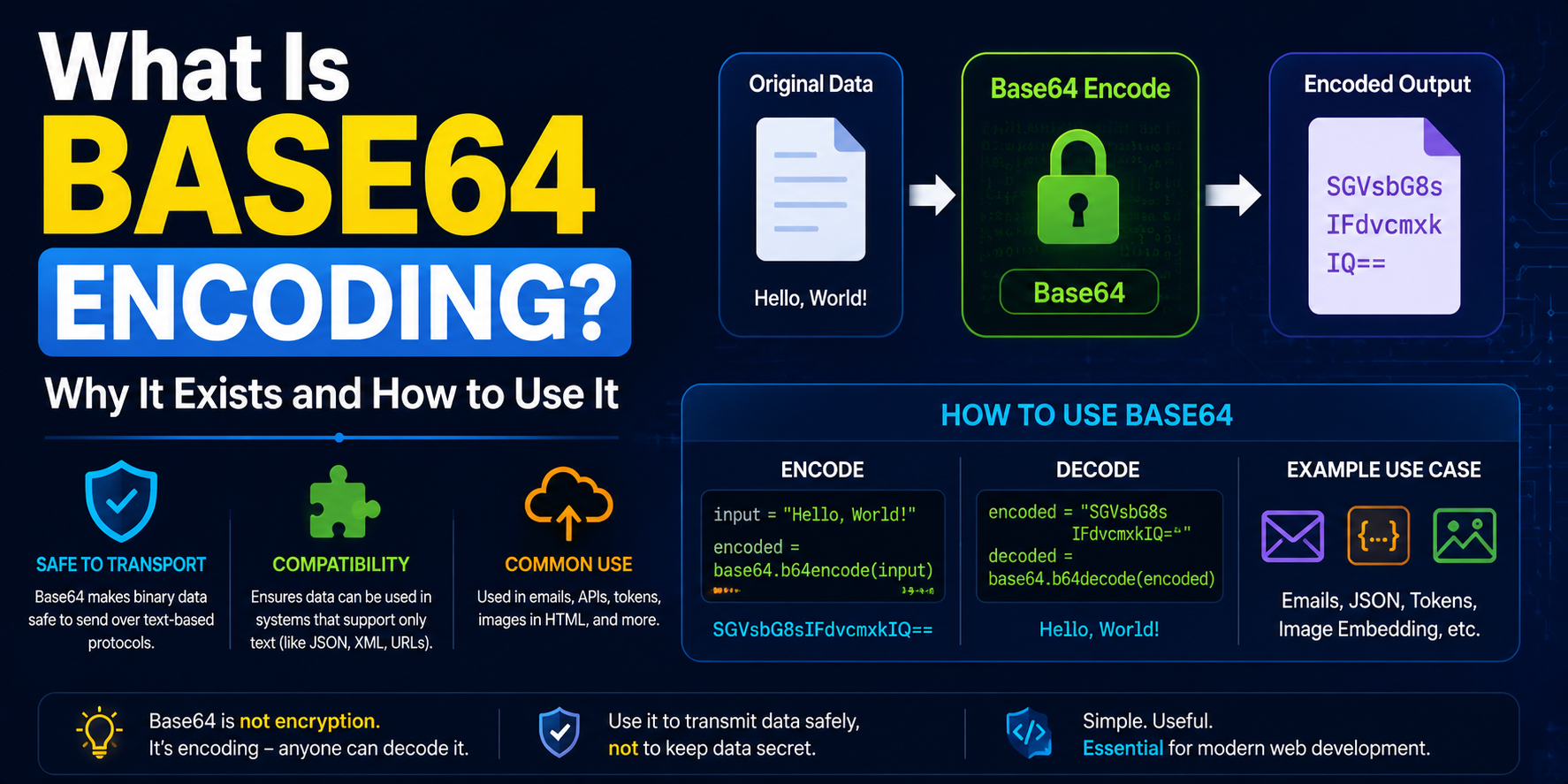
You've Seen Base64 a Thousand Times and Probably Never Noticed
It shows up in email attachments. In JWT tokens. In CSS files where images are embedded directly. In API responses carrying binary data. In data URLs in your browser's developer tools. In configuration files storing encoded credentials.
It looks like this: SGVsbG8sIHdvcmxkIQ==
That's "Hello, world!" — encoded in Base64. And once you understand what Base64 is doing and why it exists, you start seeing it absolutely everywhere.
Why Does Base64 Exist at All?
This is the question most explanations skip over, which is a shame because the answer makes everything else click.
Computers work with binary data — sequences of zeros and ones. Everything is binary at the lowest level: images, audio files, executable programs, network packets, everything. But a lot of the systems we've built on top of computers — email protocols, HTTP headers, HTML documents, JSON APIs — were designed to carry text, not arbitrary binary data.
These text-based systems have rules. Certain characters are special. Certain byte values have specific meanings in the protocol. If you try to shove raw binary data through a system that expects text, things break in unpredictable ways. A byte value that represents part of a JPEG image might look like a "newline" character to the email server, or a "null terminator" to the parser, or a "control character" that the protocol interprets as a command.
Base64 is the solution to this mismatch. It takes arbitrary binary data and converts it to a safe subset of ASCII characters — specifically letters (A-Z, a-z), numbers (0-9), plus (+), slash (/), and equals (=) for padding. These characters are safe in virtually every text-based system. No special meanings, no control characters, no ambiguity.
The tradeoff: Base64-encoded data is about 33% larger than the original. A 1MB file becomes approximately 1.33MB when Base64 encoded. For most use cases, this overhead is acceptable.
How Base64 Actually Works
The name "Base64" refers to the fact that it uses 64 possible characters to represent data — 26 uppercase letters, 26 lowercase letters, 10 digits, plus + and /. That's 64 symbols.
The encoding process works like this:
Take the binary data and split it into 6-bit groups (instead of the usual 8-bit bytes)
Each 6-bit group represents a number from 0 to 63
Map each number to a character in the Base64 alphabet (0=A, 1=B, ... 25=Z, 26=a, ... 51=z, 52=0, ... 61=9, 62=+, 63=/)
If the input isn't a multiple of 3 bytes, add = padding characters to make the output length a multiple of 4
Since 6 bits can be represented by exactly one Base64 character, and 3 bytes = 24 bits = four 6-bit groups, every 3 bytes of input produces exactly 4 characters of Base64 output. That's where the 33% size increase comes from: 4/3 = 1.333.
Decoding reverses the process — each Base64 character maps back to its 6-bit value, the bits are reassembled into bytes, and you get the original data back.
Where You'll Encounter Base64 in the Real World
Email attachments
This is the original use case. The email protocol (SMTP) was designed for ASCII text. Attachments — PDFs, images, Word documents — are binary files. Before they're sent, your email client encodes them in Base64 and includes them in the email body as text. When you receive the email, your client decodes the Base64 back to the original file. You never see any of this — it happens transparently.
Images in HTML and CSS
Instead of linking to an image file, you can embed the image directly in HTML or CSS using a data URL:
src="data:image/png;base64,iVBORw0KGgoAAAANSUhEUgAA..."
The browser decodes the Base64 and displays the image without making a separate network request. Useful for small icons and images that you want to load instantly without HTTP round trips.
JWT tokens
As covered in our JWT article, the header and payload of a JWT token are Base64URL encoded (a slight variant of Base64 that uses - and _ instead of + and / to be URL-safe). This is why they look like random characters — they're Base64-encoded JSON objects.
API authentication
HTTP Basic Authentication encodes credentials as Base64:
Authorization: Basic dXNlcjpwYXNzd29yZA==
Decode that and you get user:password. Note that this is encoding, not encryption — Base64 provides zero security. Anyone who intercepts that header can instantly decode it. That's why Basic Auth should only ever be used over HTTPS.
Storing binary data in JSON
JSON is a text format. It can store strings, numbers, booleans, arrays, and objects — but not raw binary data. When an API needs to return binary data (an image, a file, a cryptographic key) inside a JSON response, Base64 is the standard approach. The binary data is encoded as a Base64 string and included in the JSON.
Cryptographic keys and certificates
SSL certificates, SSH public keys, and cryptographic key material are often stored and transmitted as Base64. The familiar "BEGIN CERTIFICATE" and "END CERTIFICATE" delimiters you see in .pem files surround Base64-encoded certificate data.
Base64 vs Base64URL — What's the Difference?
Standard Base64 uses + and / as its 62nd and 63rd characters. These characters have special meanings in URLs — + means space, and / separates path segments. If you put standard Base64 in a URL, it breaks.
Base64URL solves this by replacing + with - and / with _. The result is URL-safe and doesn't need to be percent-encoded. JWT tokens use Base64URL, as do many other web-facing applications.
The Base64 tool at 2FA.AC handles both variants.
What Base64 Is Not
This is important enough to be its own section: Base64 is not encryption. Base64 is not security. Base64 is not even obfuscation in any meaningful sense.
Decoding Base64 requires no key, no password, no secret information of any kind. Anyone who sees SGVsbG8sIHdvcmxkIQ== can paste it into any Base64 decoder and instantly see "Hello, world!" It takes about three seconds.
This misconception causes real security problems. People encode sensitive data in Base64, see that it looks like random characters, and incorrectly assume it's protected. It isn't. Credentials, API keys, personal data — none of it is protected by Base64 encoding alone.
If you need to protect data, encrypt it. Base64 is for encoding — converting data to a safe format for transport. Encryption is for security — making data unreadable without a key. These are completely different things.
How to Use the Base64 Encoder/Decoder
The Base64 tool at 2FA.AC handles both encoding and decoding instantly:
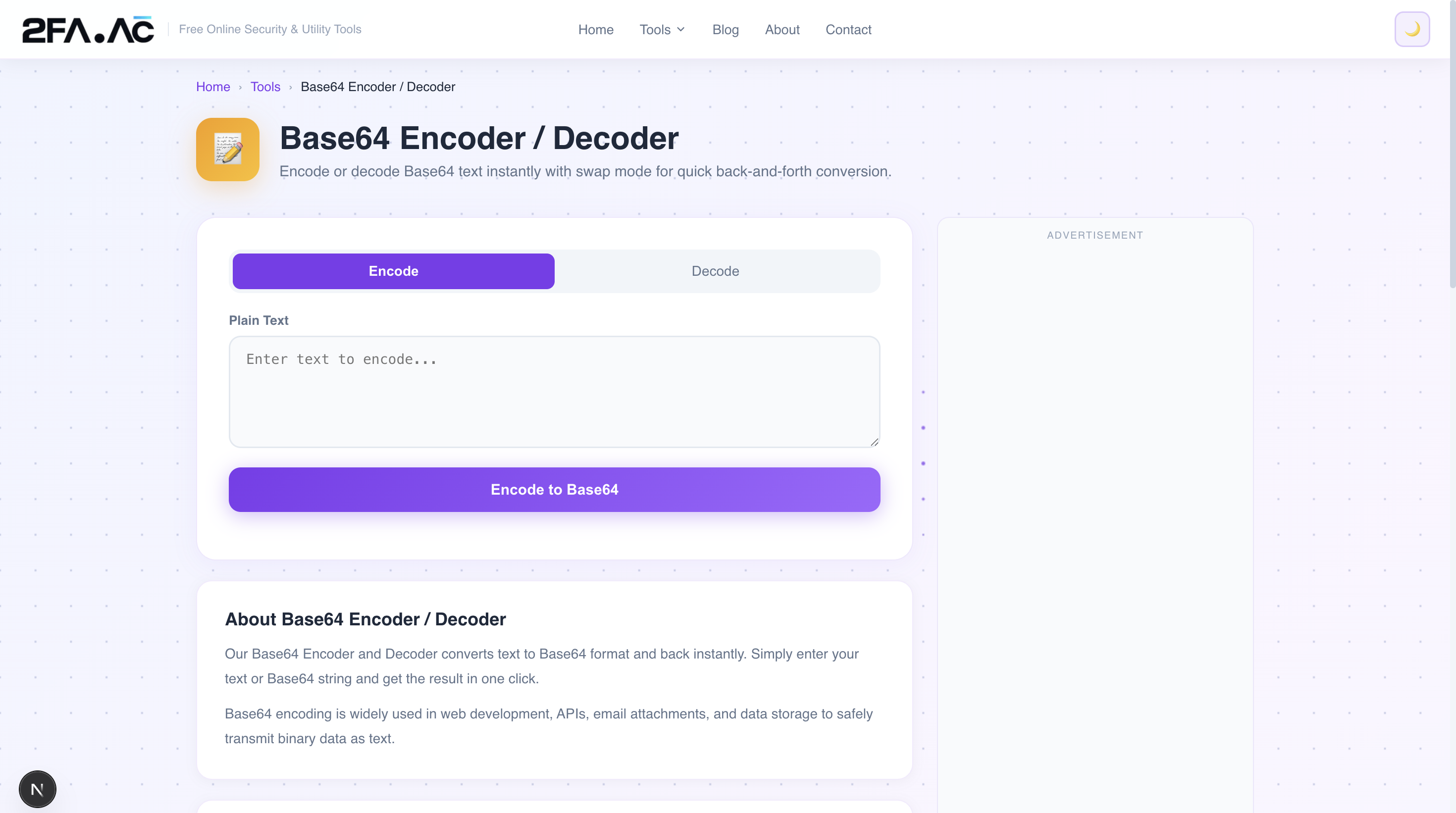
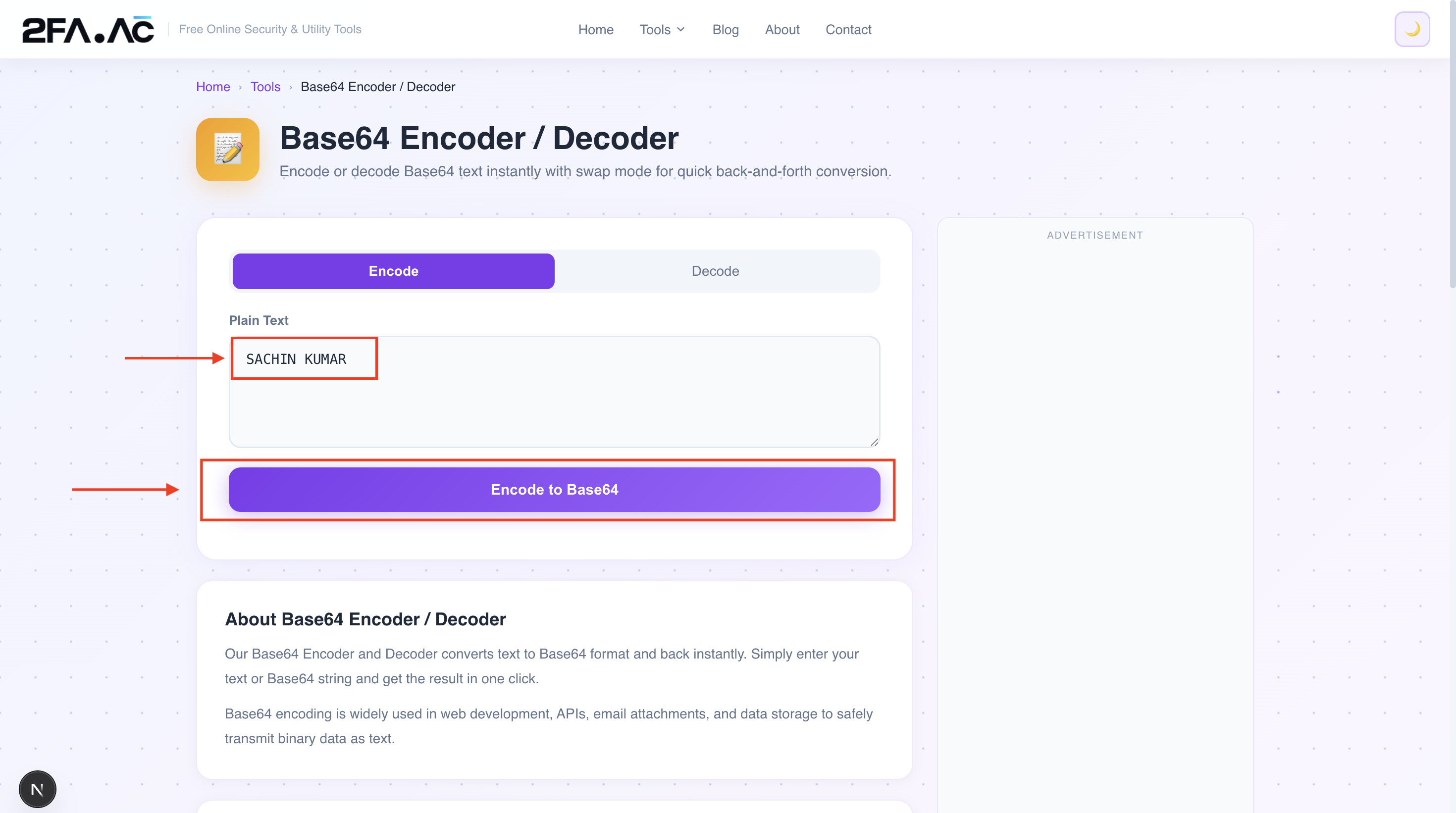
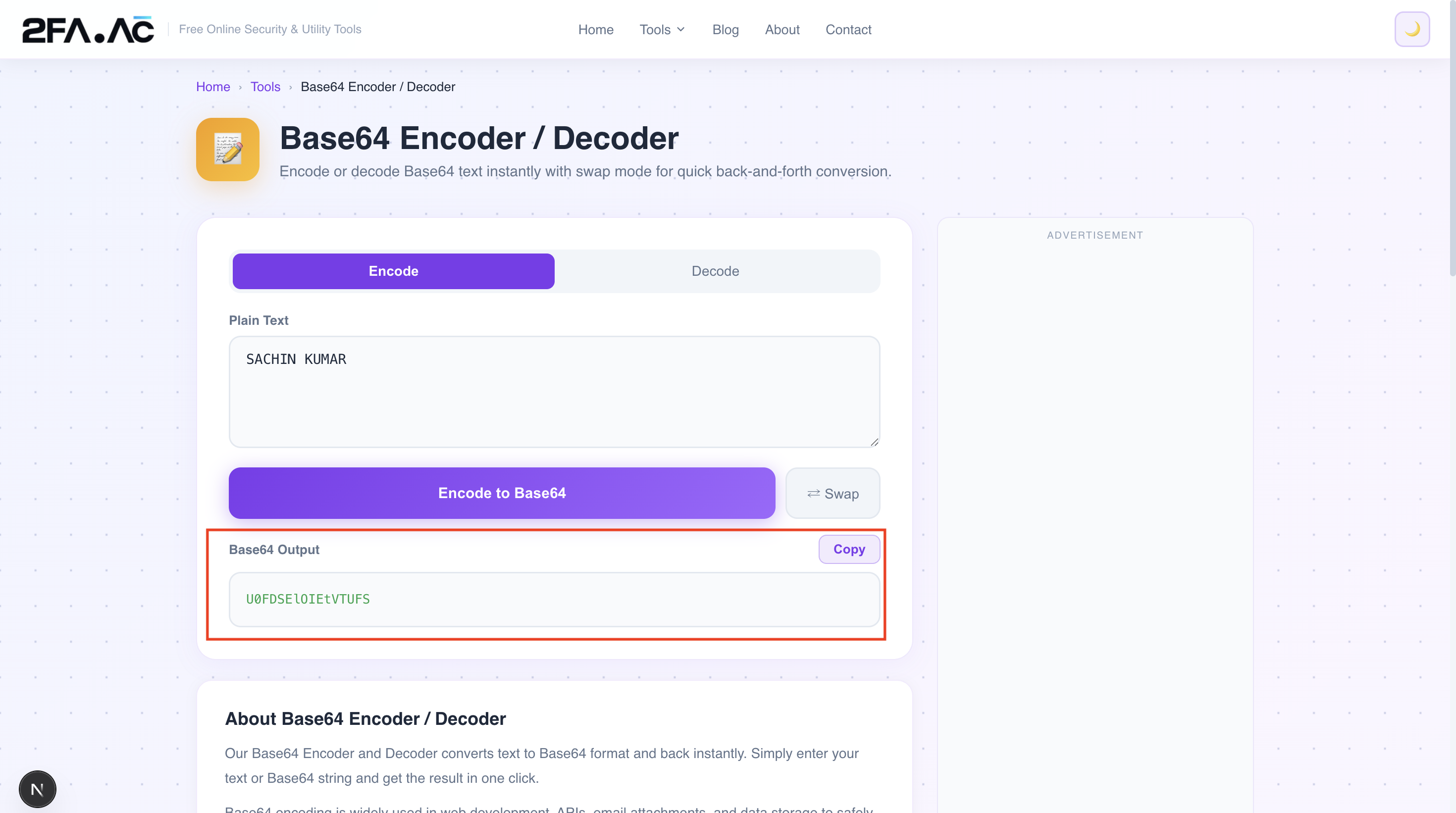
Encoding text to Base64
Go to the Base64 Encoder/Decoder
Type or paste your text in the input field
Click "Encode" — the Base64 output appears immediately
Copy the result
Decoding Base64 to text
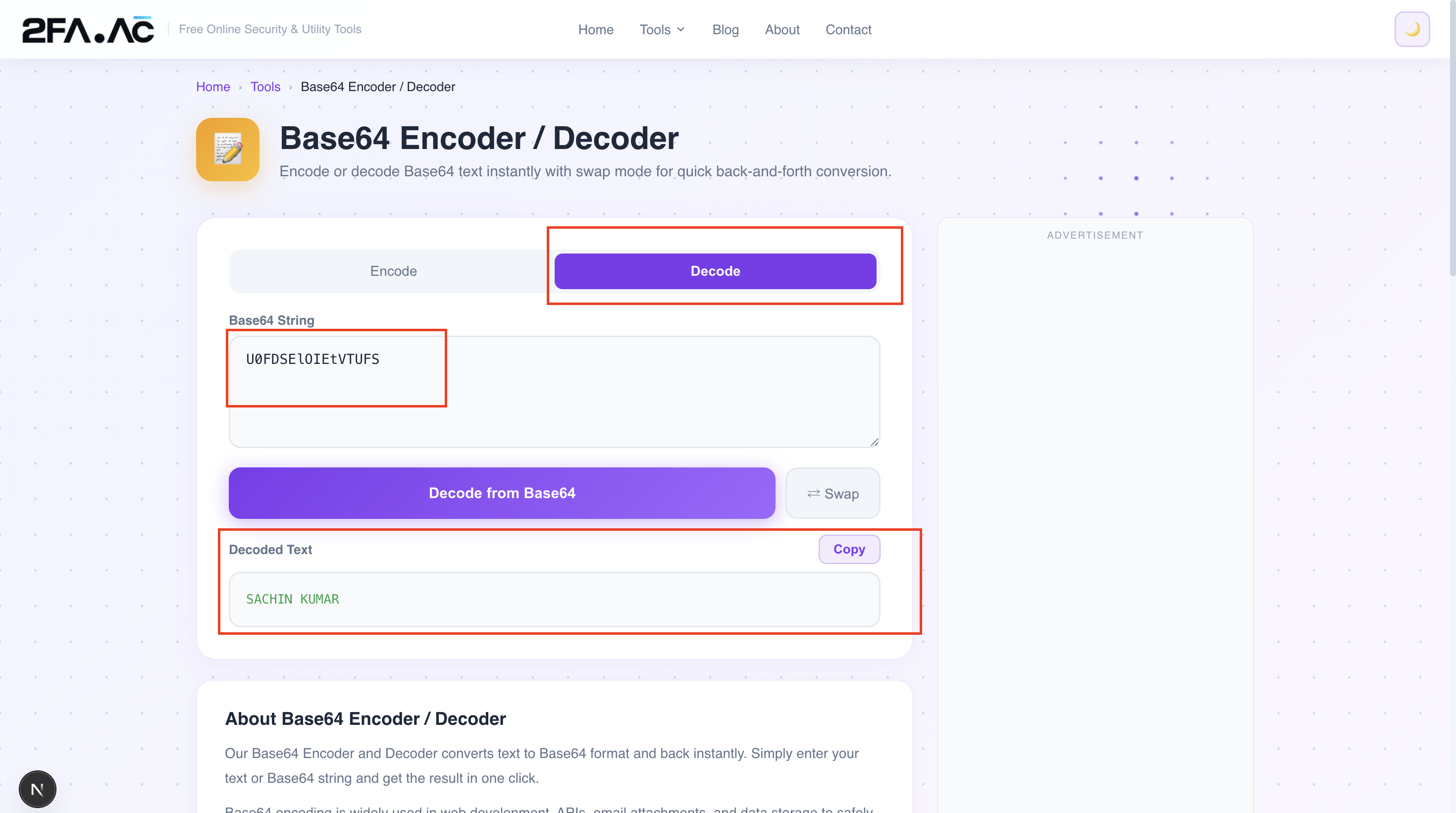
Paste the Base64 string in the input field
Click "Decode" — the original text appears
If the input isn't valid Base64, you'll get an error
Everything runs in your browser. Nothing is sent to any server.
Practical Situations Where This Helps
Debugging JWT tokens
Copy the middle section (payload) of a JWT, decode it from Base64, and you can read exactly what claims the token contains — without needing a dedicated JWT tool.
Reading encoded configuration
Kubernetes secrets, some CI/CD configurations, and cloud provider credentials are often stored as Base64-encoded values. Decoding them lets you read what's actually stored.
Understanding email headers
Some email headers and encoded words use Base64. Decoding them reveals the actual content, which is useful when debugging email delivery or parsing raw email messages.
Encoding data for APIs
When you need to send binary data in a JSON API request and Base64 encoding is required, the encoder gives you the properly formatted string to include.
Checking what's inside a data URL
Seen a data URL with a long Base64 string? Grab the encoded portion and decode it — you can verify it's what you expect before embedding it.
A Quick Reference
Base64 encoding increases data size by approximately 33%. A 100-byte input produces roughly 136 bytes of Base64 output. A 1MB file becomes about 1.37MB encoded.
The = padding at the end of Base64 strings indicates that the input length wasn't a multiple of 3. One = means one padding byte was added; == means two. Some implementations omit the padding — this is valid if the receiving system knows to handle it.
Base64 is reversible by anyone. Never use it as a security measure.
Need to encode or decode Base64 right now? The Base64 Encoder/Decoder at 2FA.AC handles it instantly — free, browser-based, nothing sent to any server.
Frequently Asked Questions
Secure Your Accounts with 2FA
Free, browser-based, private. Nothing sent to any server.
Try Base64 Tool →