What Is DNS and How Does a DNS Lookup Work?
Every time you type a website address, DNS translates it to an IP address in milliseconds. Here's how the Domain Name System actually works, what all those record types mean, and how to use DNS lookup to troubleshoot real problems.
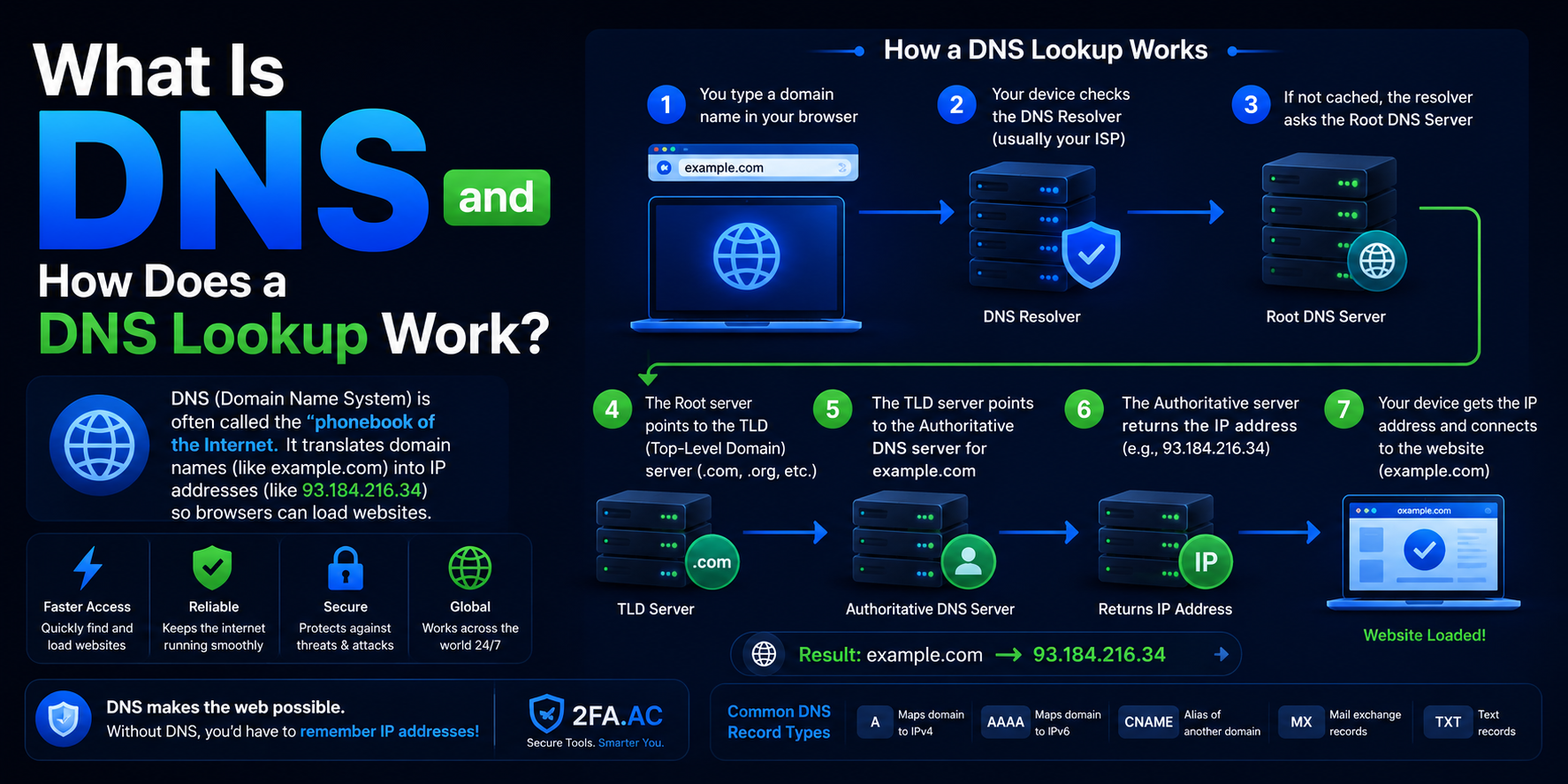
Every Time You Type a Website Address, Something Remarkable Happens
You type google.com into your browser and hit Enter. Within milliseconds, your browser has found Google's servers somewhere in a vast network of machines spread across the world and started loading the page. You didn't type an IP address. You didn't specify which server to contact. You just typed a name.
The system that makes this work is called DNS — the Domain Name System. It's one of the most important pieces of infrastructure on the internet, and most people who use the internet every day have never given it a second thought. Until something breaks.
Here's how DNS actually works, why it matters, and how to use a DNS lookup tool to see exactly what's happening under the hood.
What Is DNS?
DNS stands for Domain Name System. It's essentially the internet's phone book — a massive, distributed database that translates human-readable domain names (like google.com) into the numeric IP addresses that computers actually use to find each other (like 142.250.80.46).
Computers communicate using IP addresses. But IP addresses are hard for humans to remember. Nobody wants to type 142.250.80.46 every time they want to search something. DNS is the translation layer that lets you type google.com while your computer uses the underlying IP address.
The system is "distributed" because no single server contains all of this information. Instead, it's spread across millions of servers worldwide in a hierarchical structure, with different servers responsible for different parts of the namespace.
How a DNS Lookup Actually Works
When you type a domain name into your browser, here's the sequence of events that happens — usually in under 50 milliseconds:
Browser cache check — Your browser first checks if it already knows the IP address for this domain from a recent visit. If yes, it uses that and skips everything else.
Operating system cache check — If the browser doesn't have it, it asks your operating system, which has its own cache.
Recursive resolver — If neither cache has it, the request goes to a DNS resolver — usually provided by your ISP or a service like Google (8.8.8.8) or Cloudflare (1.1.1.1). This resolver does the heavy lifting.
Root nameservers — The resolver asks a root nameserver "who handles .com domains?" The root nameserver points it to the .com nameservers.
TLD nameservers — The resolver asks the .com nameservers "who handles google.com?" They point to Google's own nameservers.
Authoritative nameservers — Google's nameservers know the actual IP address for google.com. They return it to the resolver.
Answer returned — The resolver gives your browser the IP address, your browser connects to that IP, and the page loads.
All of this happens in the background, invisibly, every time you visit a website you haven't visited recently. The caching at each step means most lookups are fast because the answer was already known.
DNS Record Types — What They All Mean
DNS isn't just about IP addresses. A domain can have many different types of records, each serving a different purpose. When you do a DNS lookup, you can see all of these.
A Record (Address Record)
The most common record type. Maps a domain name to an IPv4 address. When you look up example.com and get back 93.184.216.34, that's an A record. Most websites have one or more A records pointing to their server's IP address.
AAAA Record (IPv6 Address Record)
Same as an A record but for IPv6 addresses — the newer, much longer address format that looks like 2606:2800:220:1:248:1893:25c8:1946. As IPv6 adoption grows, more sites have both A and AAAA records.
CNAME Record (Canonical Name)
An alias that points one domain name to another. For example, www.example.com might have a CNAME pointing to example.com, meaning they resolve to the same place. Often used for subdomains and when hosting providers manage where traffic goes.
MX Record (Mail Exchange)
Specifies which servers handle email for a domain. When someone sends an email to user@example.com, the sending server looks up the MX records for example.com to know where to deliver it. Multiple MX records can exist with different priority levels for redundancy.
TXT Record (Text Record)
Stores arbitrary text associated with a domain. Used for many purposes:
SPF — specifies which servers are authorized to send email from this domain, helping prevent email spoofing
DKIM — stores public keys used to verify email signatures
DMARC — tells receiving email servers what to do with emails that fail SPF or DKIM checks
Domain verification — services like Google Search Console and various website tools use TXT records to prove you own a domain
NS Record (Nameserver)
Identifies which nameservers are authoritative for a domain — essentially, who to ask for DNS information about this domain. When you register a domain and point it to a hosting provider or CDN, you typically change the NS records to point to that provider's nameservers.
SOA Record (Start of Authority)
Contains administrative information about a DNS zone — the primary nameserver, the email address of the administrator, and timing values that control how often DNS information is refreshed. Usually one per domain.
How to Use a DNS Lookup Tool
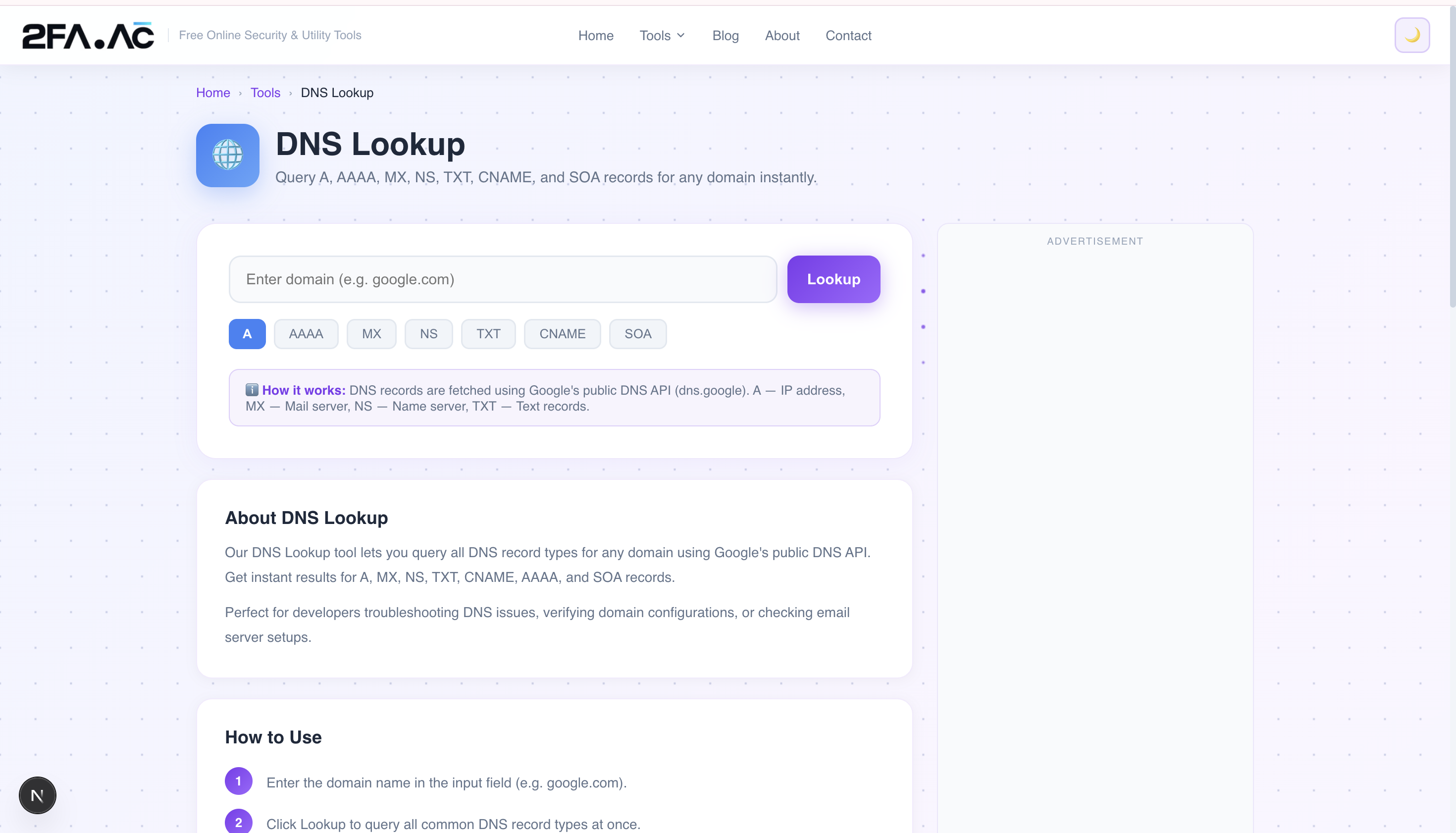
The DNS Lookup tool at 2FA.AC lets you query any domain's DNS records instantly. Here's how to use it:
Go to the DNS Lookup tool
Enter the domain name you want to look up (e.g.,
example.com)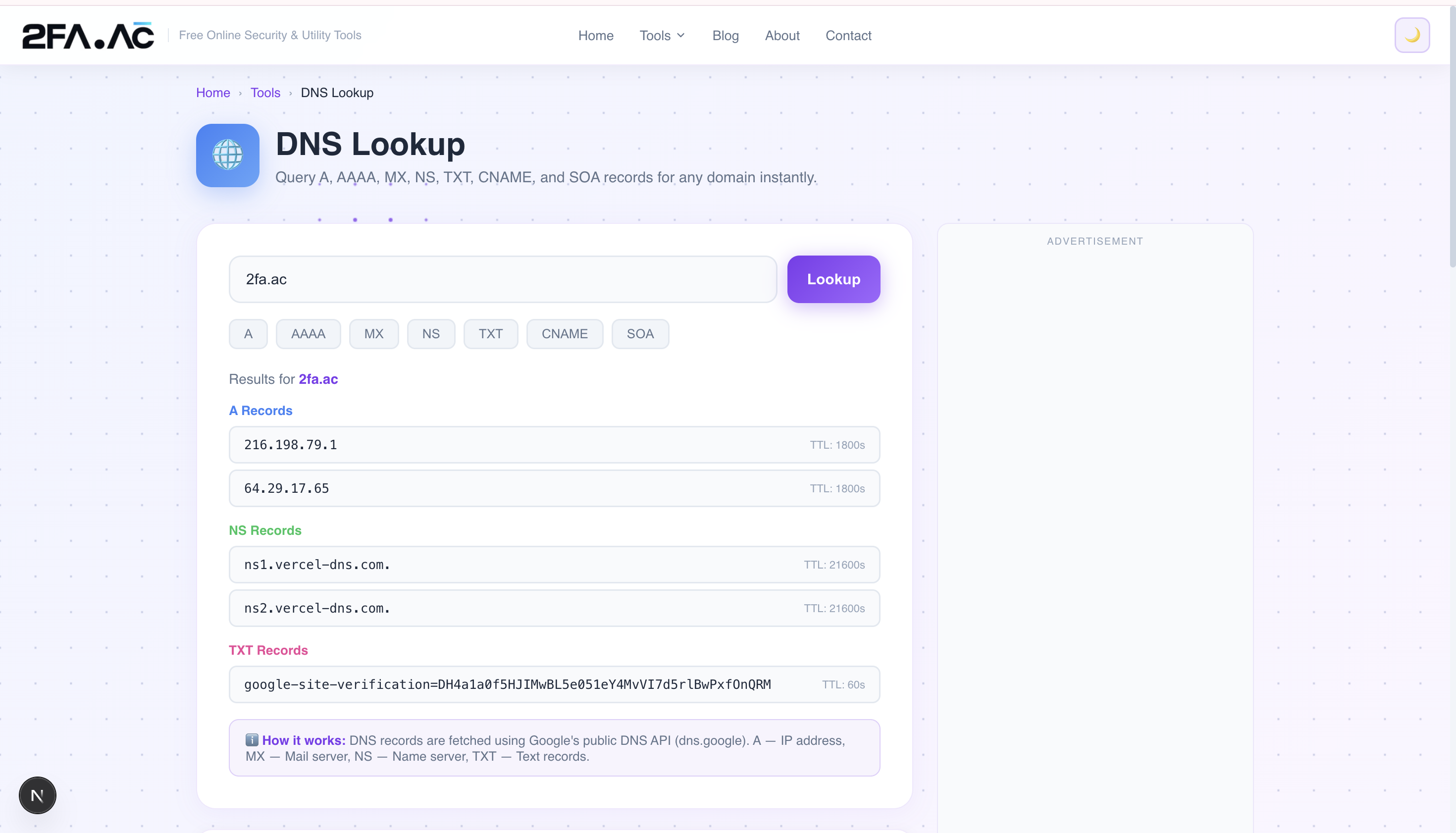
Select the record type you want to see, or query all types
Results appear instantly — the actual records as returned by DNS
The tool queries live DNS data, so you're seeing current, real-time information about the domain — not cached data from hours ago.
Practical Uses for DNS Lookup
Verifying DNS changes after configuration
When you update DNS records — changing nameservers, adding an MX record for a new email service, setting up a subdomain — DNS propagation can take anywhere from a few minutes to 48 hours. A DNS lookup tool lets you check whether your changes have propagated to the public DNS system yet.
Troubleshooting email delivery issues
If emails to your domain aren't being received, MX records are the first thing to check. Are they pointing to the right mail servers? Do the SPF and DKIM TXT records exist and look correct? A DNS lookup shows you everything you need to diagnose the problem.
Verifying domain ownership
Many services require you to add a TXT record to your domain to prove ownership. After adding it, you can use a DNS lookup to confirm the record is visible and correctly formatted before completing the verification process.
Investigating suspicious domains
When you receive an email from an unfamiliar domain or encounter a website that seems suspicious, DNS lookup can tell you about the infrastructure behind it. Who provides their DNS? What do their MX records point to? When was the nameserver configuration last changed? These details can help you assess whether something is legitimate.
Debugging website connectivity issues
If a website is unreachable, checking its DNS records can tell you whether the domain is even configured to point anywhere. No A records, or A records pointing to the wrong IP, are common causes of "site not found" errors that have nothing to do with the server itself.
Understanding CDN and load balancing setups
Large websites often have multiple A records or use CNAME records pointing to CDN providers. A DNS lookup can show you how traffic is being distributed and which CDN or hosting provider a site is using.
DNS and Security
DNS was designed in the 1980s when security wasn't a primary concern. As a result, standard DNS has some significant security weaknesses:
DNS spoofing / cache poisoning
An attacker can potentially inject false DNS records into a resolver's cache, causing users to be sent to malicious servers even when they type the correct domain name. This is called DNS cache poisoning. DNSSEC (DNS Security Extensions) was developed to address this by adding cryptographic signatures to DNS records.
DNS hijacking
If an attacker gains access to your domain registrar account or your DNS provider, they can change your DNS records to point your domain to servers they control. This is a serious attack that has affected major organizations. Two-factor authentication on your domain registrar account is essential.
DNS over HTTPS (DoH) and DNS over TLS (DoT)
Standard DNS queries are sent in plain text, meaning your ISP (and anyone else on the network path) can see every domain you look up. DNS over HTTPS and DNS over TLS encrypt DNS queries, providing privacy. Modern browsers increasingly support DoH by default.
Common DNS Problems and How to Identify Them
"DNS_PROBE_FINISHED_NXDOMAIN"
This browser error means the domain doesn't exist in DNS — either it hasn't been registered, the nameservers aren't configured, or DNS propagation hasn't completed yet. A DNS lookup will confirm whether the domain resolves at all.
Slow website loading
DNS lookups themselves can add latency. If a website's nameservers are slow to respond, every visitor experiences slower page loads. A DNS lookup can reveal if a domain's nameservers are the source of slowness.
Email going to spam
Missing or misconfigured SPF, DKIM, or DMARC TXT records are a common reason legitimate emails end up in spam folders. A DNS lookup of your domain's TXT records can quickly show whether these records exist and are correctly formatted.
Need to look up DNS records right now? Try the DNS Lookup tool at 2FA.AC — free, instant, real-time DNS data for any domain.
Frequently Asked Questions
Look Up DNS Records for Any Domain
Check A, MX, TXT, CNAME and NS records instantly. Free, real-time DNS data.
DNS Lookup →